About the project
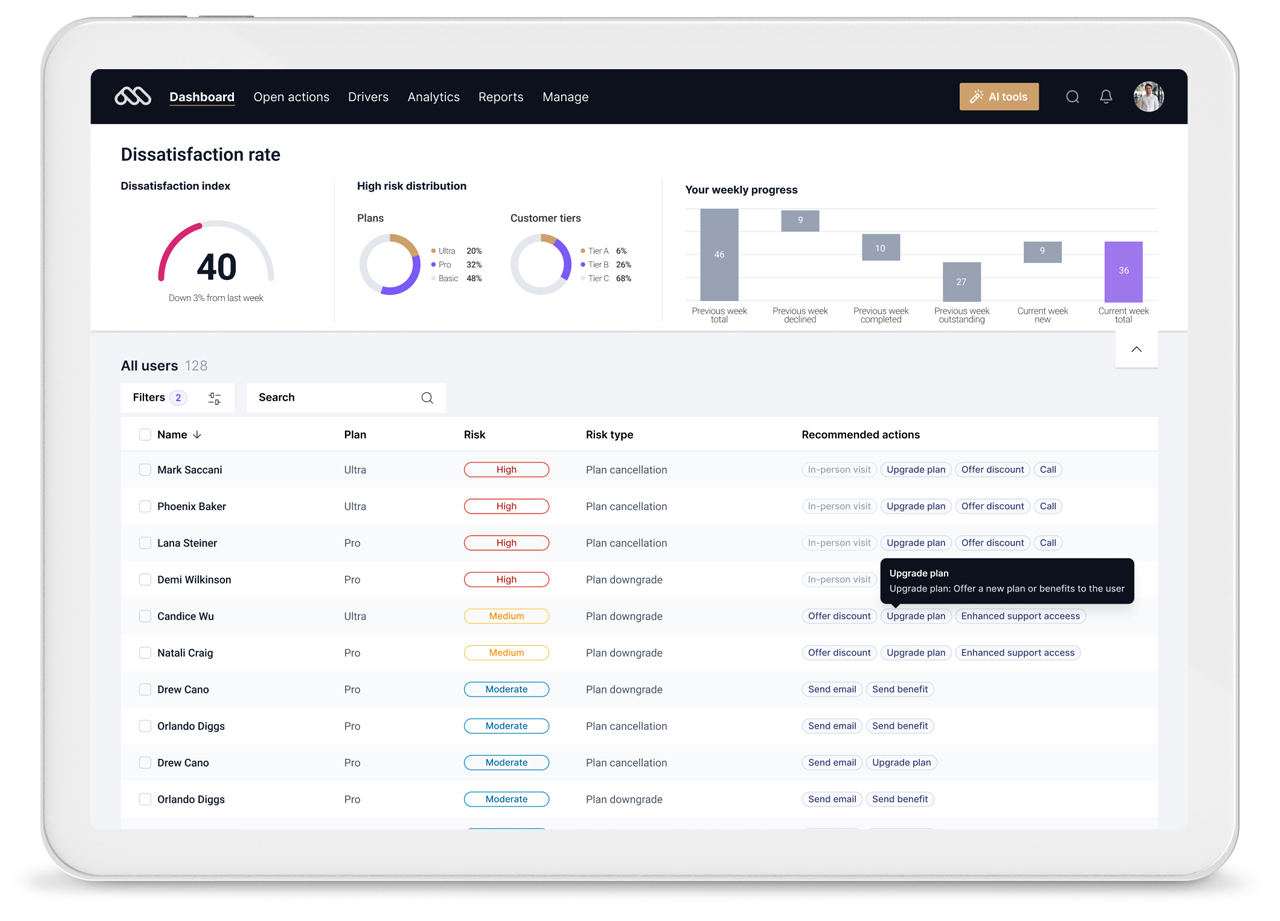
The Dissatisfaction Monitor gives clients one system for tracking and managing customer dissatisfaction. It is built to catch customers with recurring issues early, the ones most likely to cancel, so teams can act before they leave. The aim is to lower churn and keep more customers.
The tool is a companion for customer relationship managers, sales and support teams, account managers, and other teams. With a computer or tablet, they can closely monitor customer issues and take quick action to prevent users from leaving.
It is built to fit into clients' existing CRM workflows and tools.
The aim is to lower churn and keep more customers.
The design sprint process
The project ran over a 4-week design sprint, where I led the sprint itself, including workshops with the team, helping with discovery, ideation, prioritization, and testing. I was the designer responsible for bringing the ideas to life: the visual design, the user experience, and the interactive prototype.
In a design sprint, we try to compress the full design process into a shorter amount of time. We can't build a fully working product or test every idea, so we focus on what matters most, the items with the best shot at making it into an MVP.
It's a good way to push innovation and test new ideas without tying up a lot of resources or people, with a focused mindset built around moving fast.
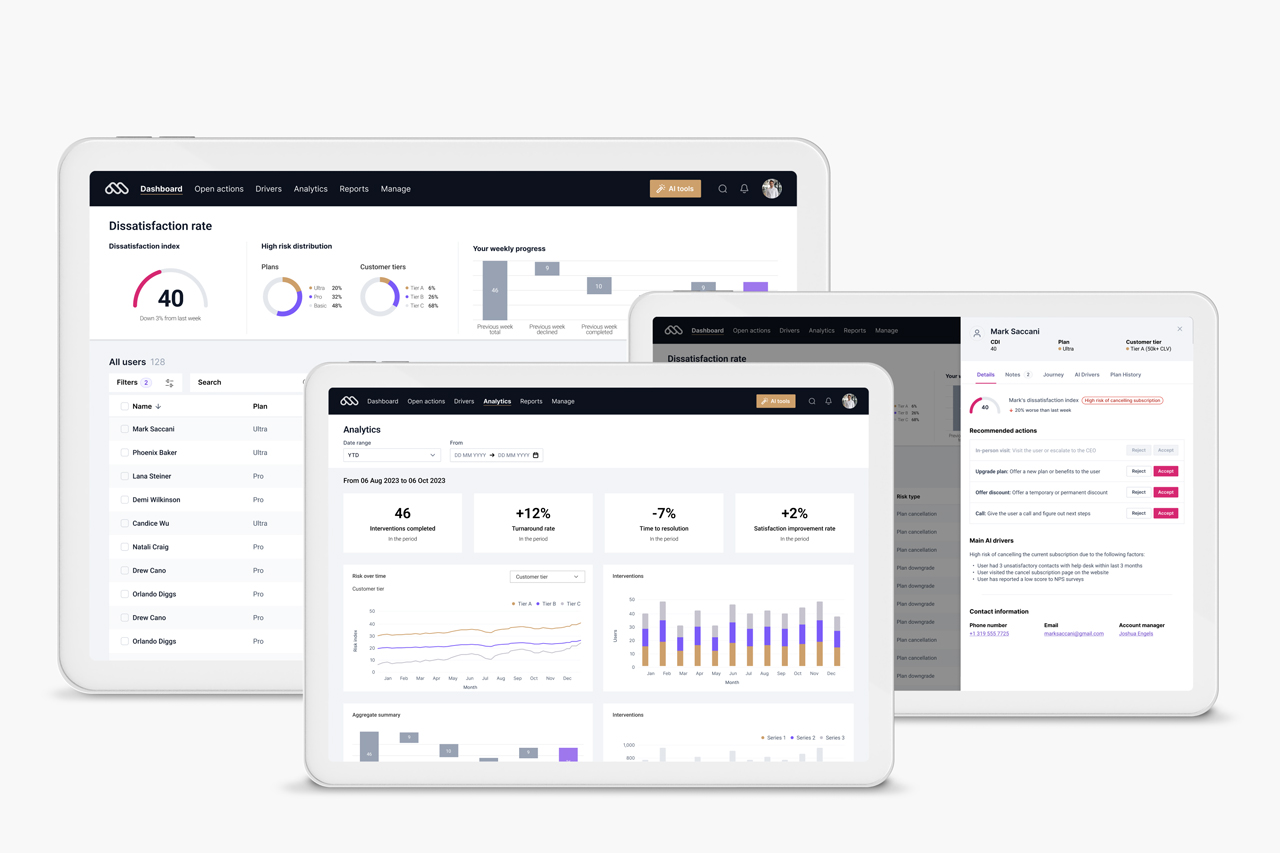
At the end of the sprint, we created an interactive prototype that simulated the real final product. That prototype was very helpful in bringing life to the project, showing investors and stakeholders the potential of the tool.
It also drove user testing, letting people try the product hands-on and giving us feedback and insights for the next iteration, which helped shape the final product.
It is built to catch customers with recurring issues early, the ones most likely to cancel, so teams can act before they leave.
01
Key features
02
AI Chatbot
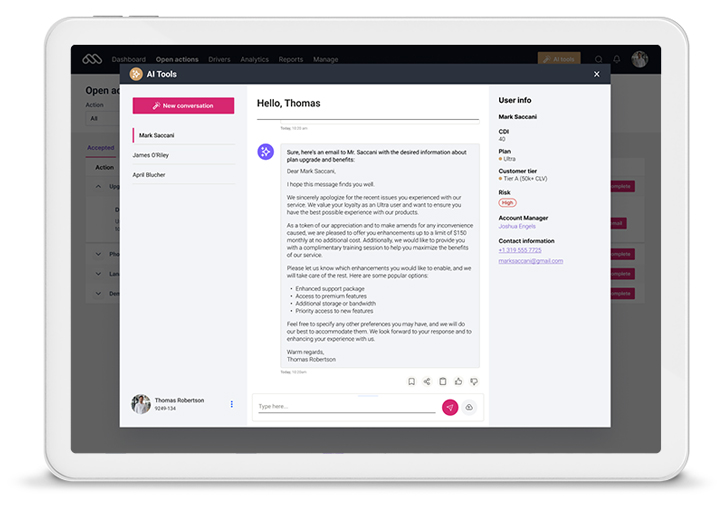
The AI chatbot helps Customer Relationship Managers by drafting emails, call scripts, and other messages. It uses natural language processing to write personalized messages aimed at a specific customer issue.
That lets CRMs respond quickly, with the right information and tone. Beyond drafting messages, the AI tools read customer interactions and suggest the best way to resolve dissatisfaction, so CRMs can head off problems before they escalate and keep more customers.
03
Analytics dashboard
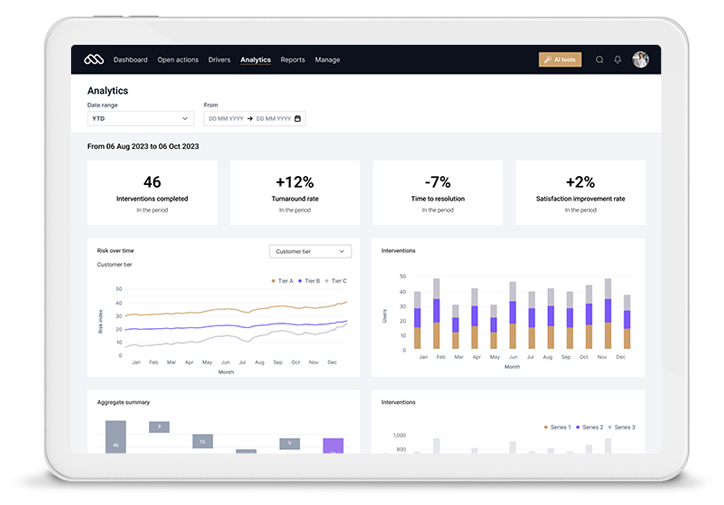
The dashboards give a full view of customer satisfaction, with real-time data on key metrics like the dissatisfaction index, turnaround rates, and risk spread across customer groups.
Clear visualizations and readable reports let users spot trends, find problem areas, and dig into individual customer interactions to decide what to do next.
04
AI Drivers
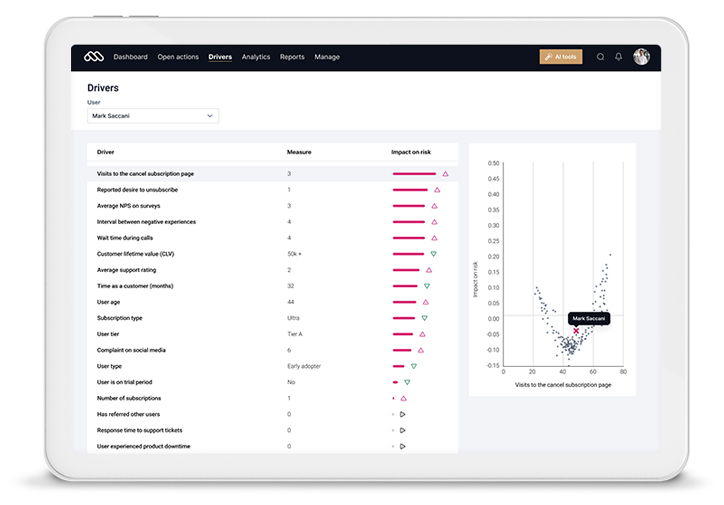
The AI Drivers read a range of data points so the tool can score and prioritize the users who need more attention. By looking at how things like response times, unresolved issues, and engagement affect churn, retention, and satisfaction, the Drivers produce a more accurate priority list.
It lets Customer Relationship Managers focus on high-risk customers, so the right people get attention based on specific triggers.