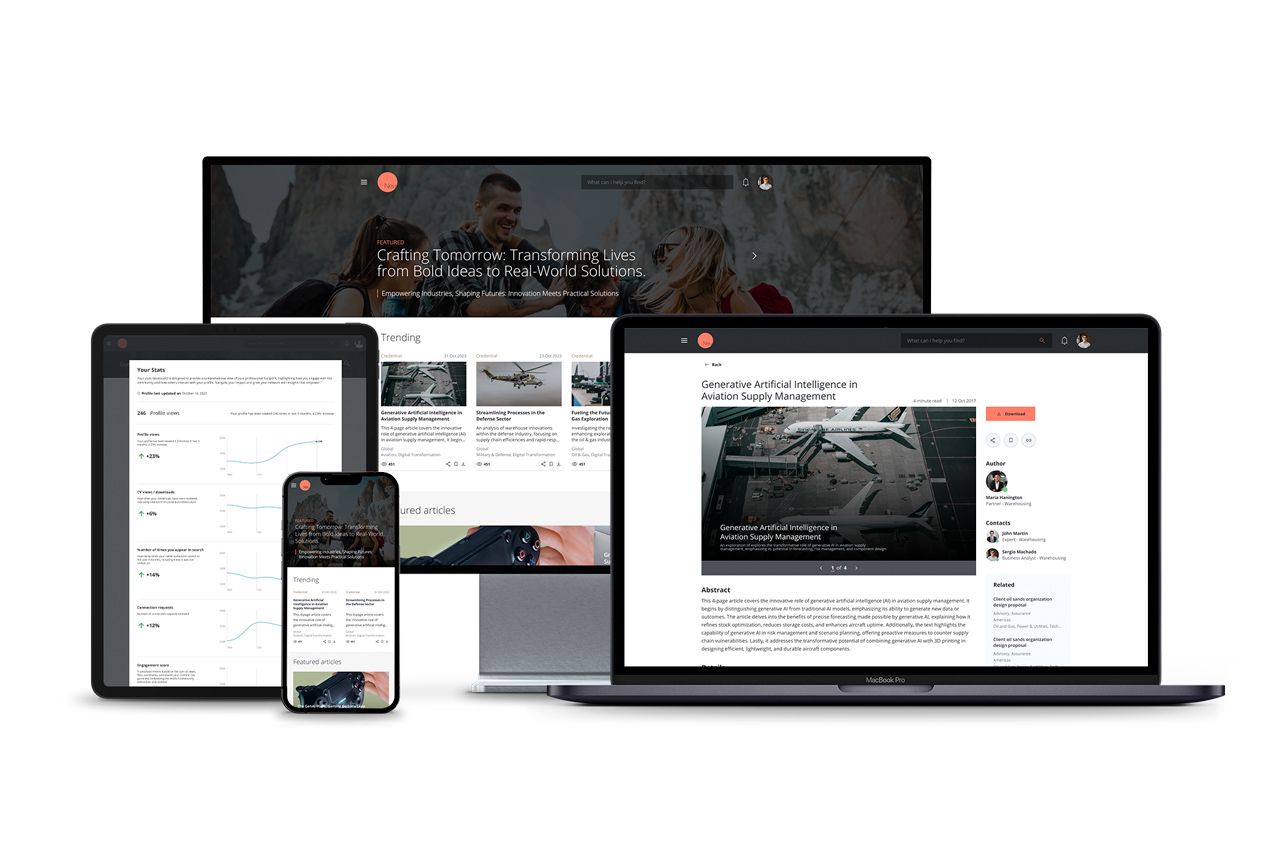
How we partnered to re-think a knowledge management suite design and strategy for the near future.
I was invited to re-think the Knowledge management portal of one of the largest consulting companies in the world. I had the opportunity to redesign their existing portal, enabling new features, an improved experience and fewer technical limitations.
I was the design lead for the project, being responsible for crafting the UX, UI and managing other designers to come up with better solutions for the tools in the suite.
01
We started by asking what had changed since the first suite.
We began by revisiting the original project's objectives, looking at current user behavior, and identifying any changes in the company's goals and culture. Gathering new insights from stakeholders, user interviews, and usage metrics helped us find areas for improvement and innovation. Together with the client, we worked out how to implement and prioritize each one.
02
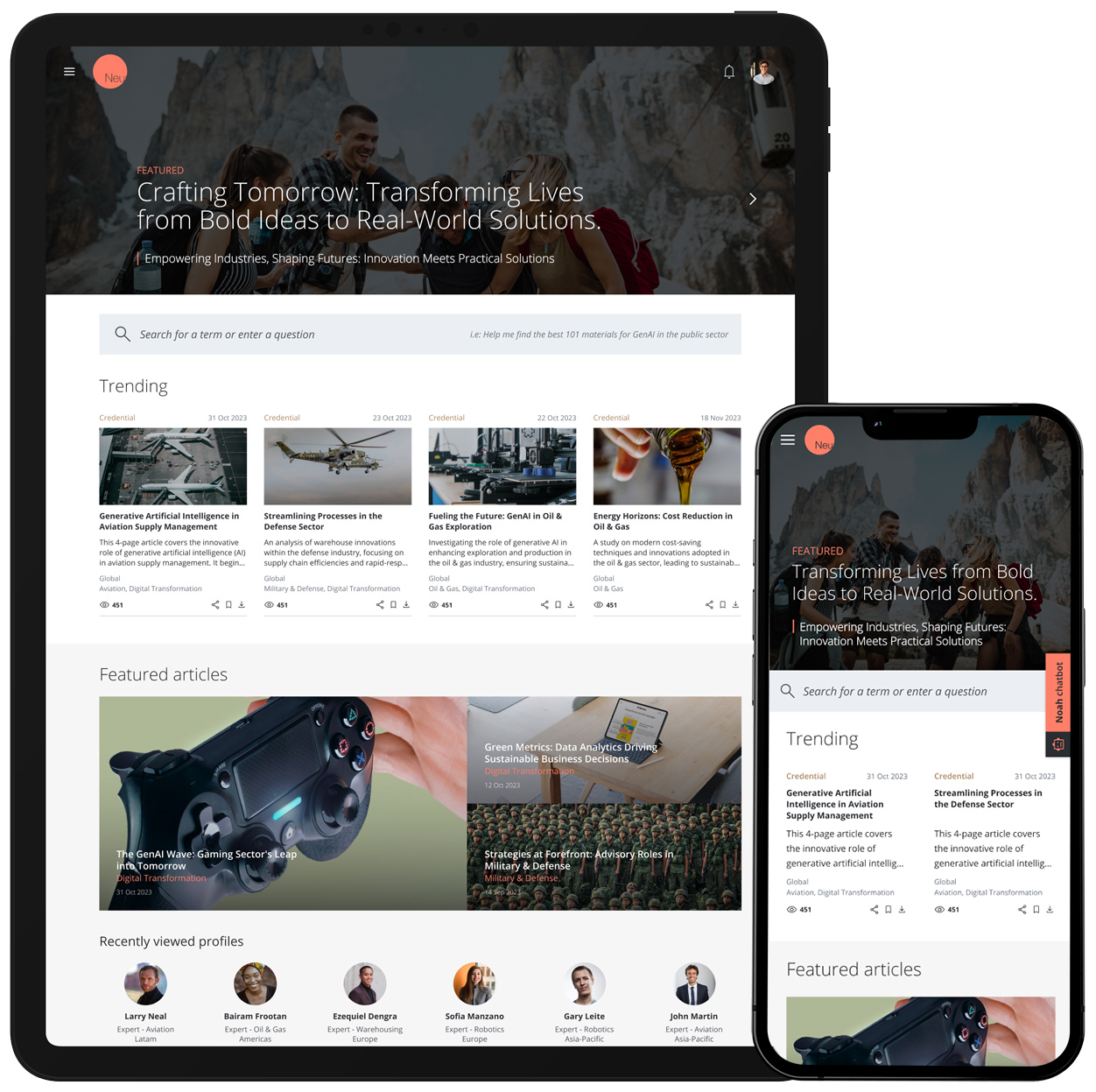
A landing page that works as a portal, tailored to each user.
With the company moving away from restrictive software and infrastructure, we gained more creative freedom. The client was also rolling out a new design system, so we used it and contributed to it directly, helping shape it as we went.
The revamped landing page works as a portal, guiding users to different sections of the knowledge ecosystem, so people can find the information they need right when they need it.
The landing page also highlights news, featured items, impact stories, and different service lines, all tailored to each user's interests and preferences.
The customization helped consultants deliver more for clients, giving them quick access to top materials while making it easy to contribute back to the knowledge base.
03
Intelligent search with Natural Language
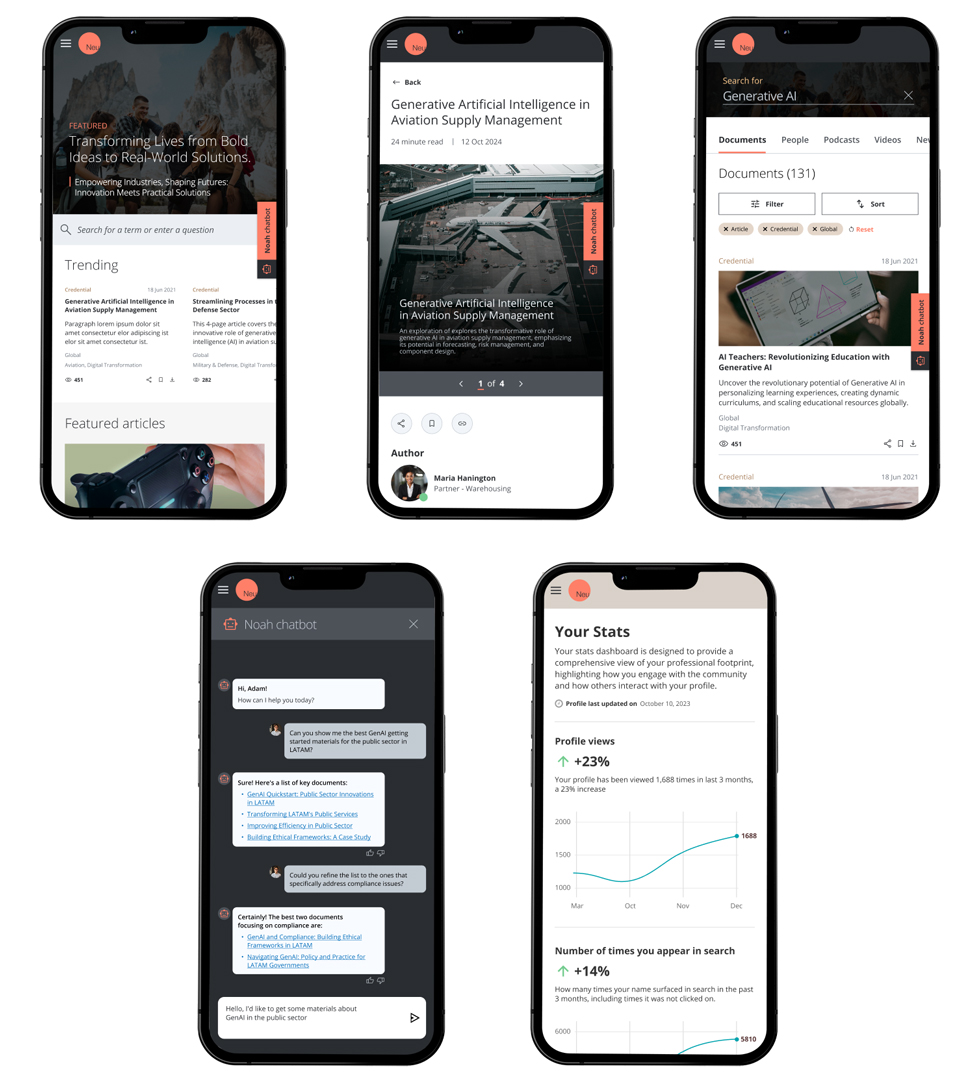
The search combines smart algorithms with natural language processing to change how people find and use knowledge.
It reads each user's profile, their history, role, and active client engagements, to surface the most relevant content. The idea is that every search lands on something useful for the work in front of them.
04
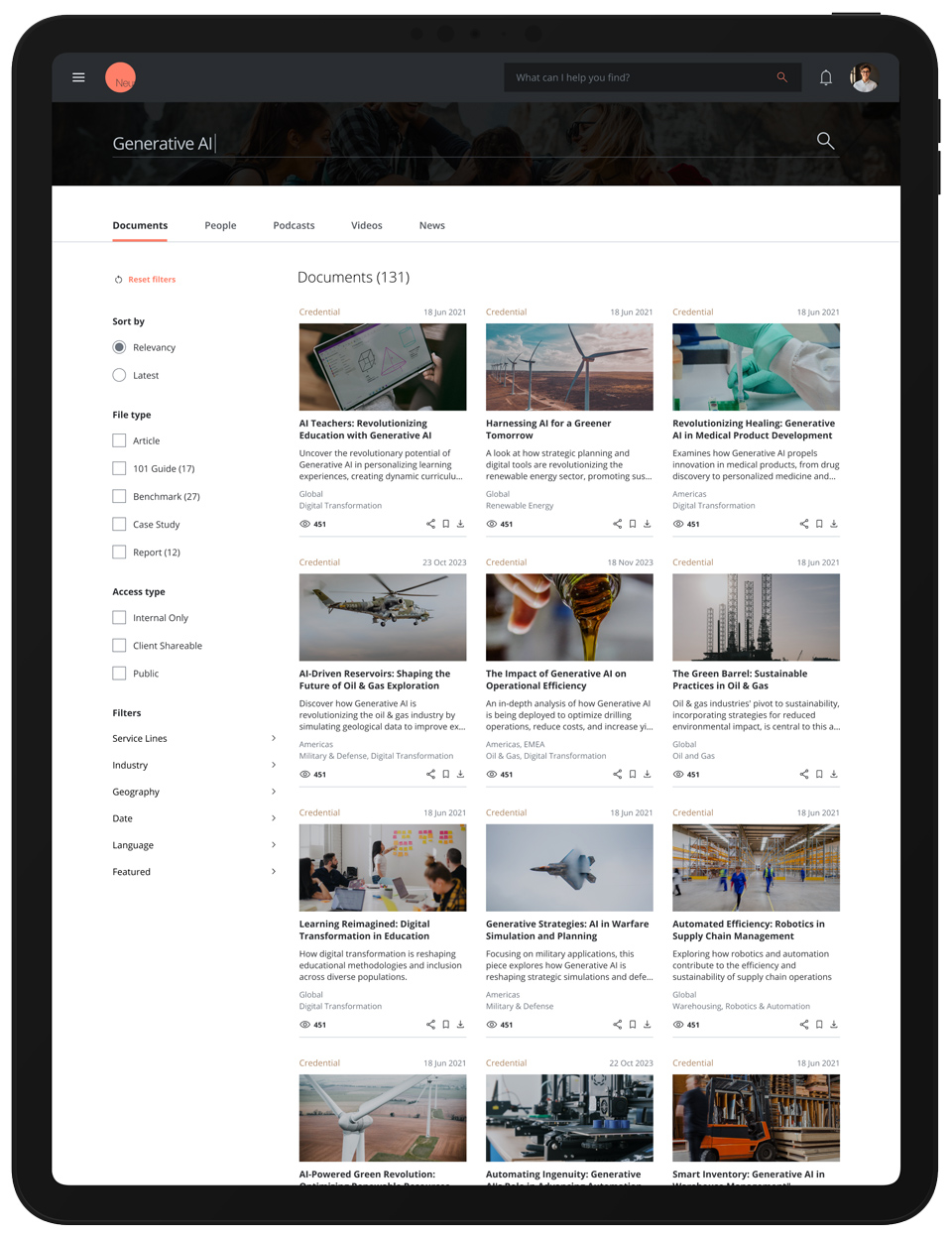
Dedicated search page
The dedicated search page gets users to the right information fast, with a deep set of filters for precise control. Every query and click sharpens the system's read on what that user needs, so each search gets a little smarter.
The idea is that every search lands on something useful for the work in front of them.
05
GenAI chatbot
The chatbot helps users find the best materials right when they need them. It uses natural language processing to understand a question and answer it well, learns from each interaction, and keeps getting better at surfacing relevant content, which helps with productivity, decisions, and client impact.
06
Conclusion
The work moved through research and design phases into a product shaped closely by users. Our findings pointed to the key pain points, which we addressed in the proof of concept and MVP.
Users responded well to those early releases, reporting they got what they needed faster. That validated the iterative approach: each stage built on what we learned in the last.